
1. Auto-fulfillment
Note: auto-fulfillment only supports the "Ship by TikTok" mode. Products set to "Shipped by seller" in the seller center cannot use this feature.
With Auto Ship and Print Shipping Label enabled, the system fulfills each order automatically once it arrives on the Listening page. The full flow:
Buyer places order → app receives it → prints your custom ticket → auto-fulfills → prints the shipping label
2. Listened order filtering (separate live rooms)
Filter listened orders by product ID or product name — useful for printing only the orders of a specific live room.
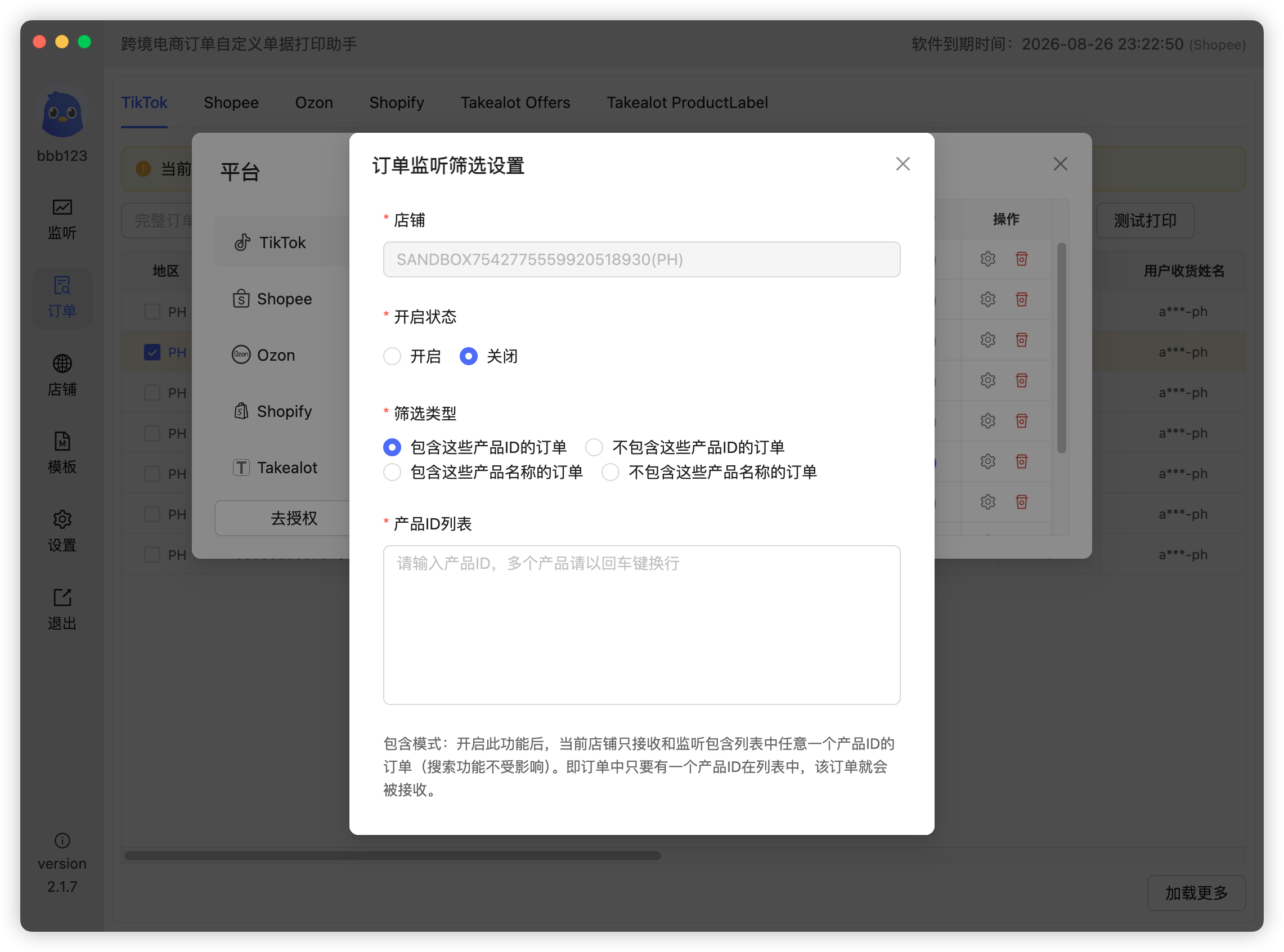
Tips and caveats:
- Confirm the product IDs / names before the live stream starts — mid-stream changes can cause missing or abnormal tickets;
- This feature is off by default. Most "no ticket" cases we see are caused by enabling it with wrong filter conditions: wrong or missing product ID, wrong or missing product name;
- "Include" and "Exclude" modes behave very differently — read the hints below the feature carefully before use.
3. Creator filtering (separate live rooms)
Filter orders by creator — another way to separate live rooms:
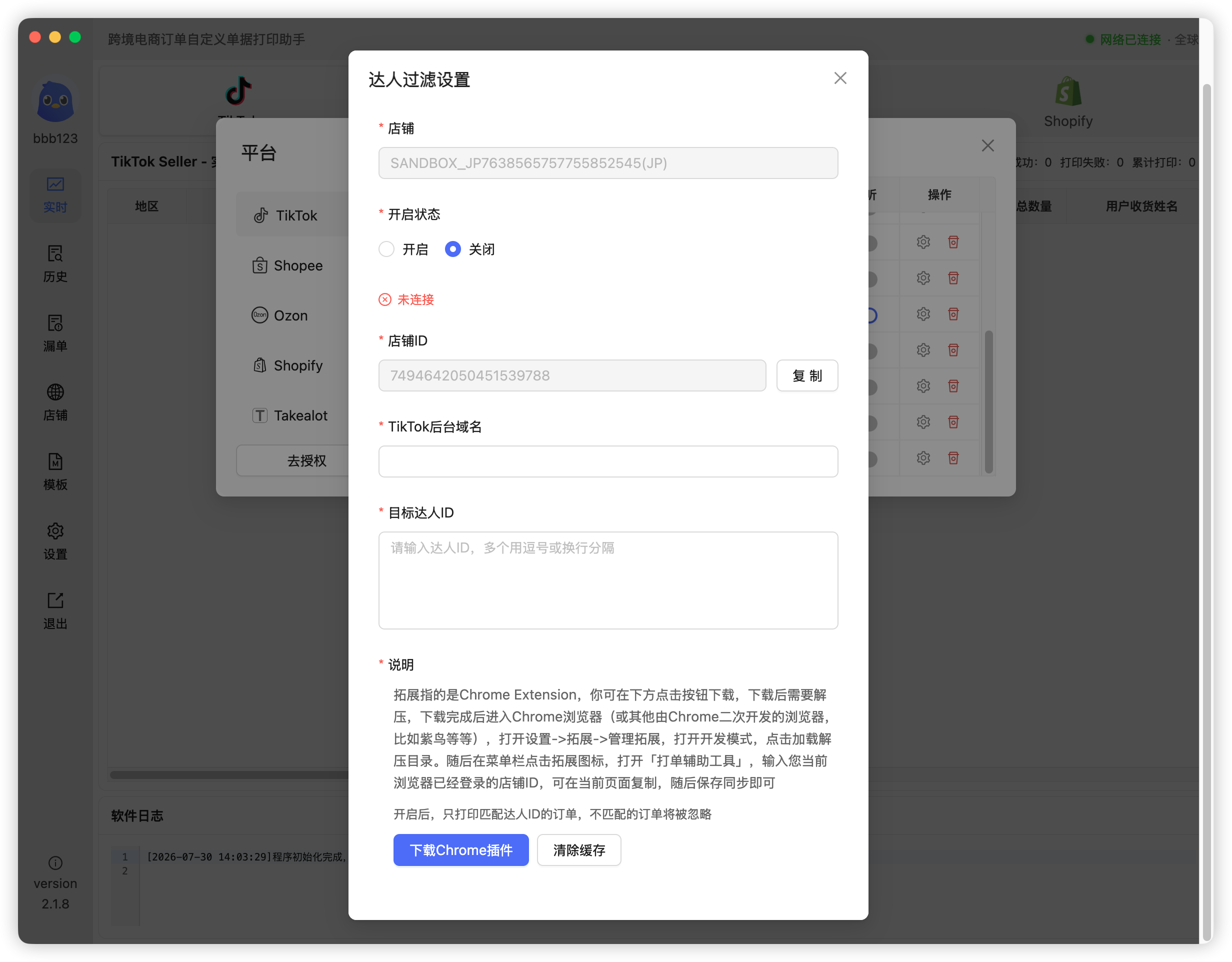
Creator filtering works together with the browser extension. See the "Extension authorization" section of the TikTok buyer nickname tutorial.
 Or email us: