
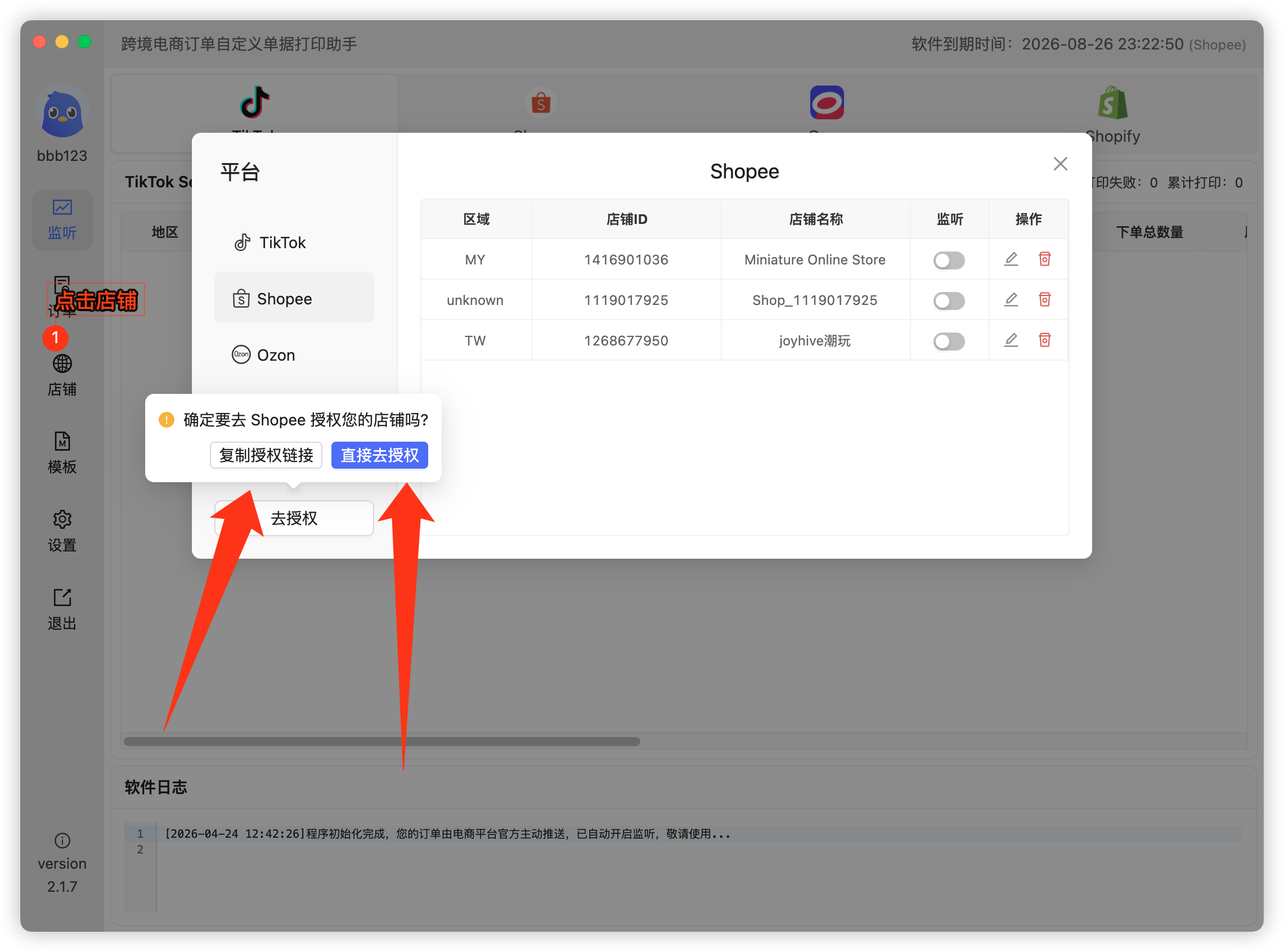
- Click Stores on the right to open Store Management;
- Select Shopee as the platform and click Authorize. Two options:
- Copy authorization link (recommended): open the copied link in a browser where your store is already logged in and authorize directly;
- Direct authorization: log in to your store in the popup browser, then authorize.
- If the store doesn't show up in the app afterwards, restart the app to refresh.
 Or email us: